Walkthrough: one photo to a governed workspace
A worn 20 litre metal jerrycan provides the example, with runnable commands and abridged captured output. The bundled sample photo is a CC0 render of the Poly Haven metal_jerrycan model. The source and dry planning path ship with the repository. Live model output is illustrative and must be cited with its recorded run rather than treated as invariant across checkouts.
The captured output covers a dry workflow pass followed by a live agent loop with the VLM reviewer on the NVIDIA NIM lane (nvidia/llama-3.1-nemotron-nano-vl-8b-v1). For fresh-machine timings and blockers, see the observed runthrough.
Sample input
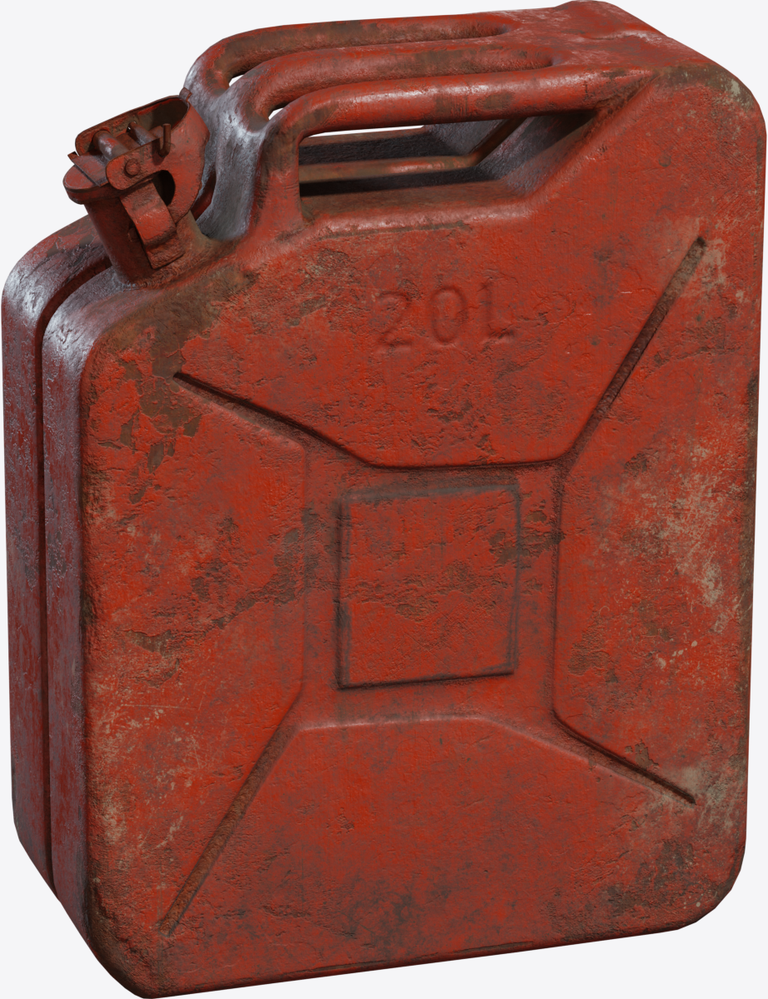
The run request at examples/run-requests/jerrycan_from_photo.json:
{
  "id": "metal_jerrycan",
  "version": "1.0",
  "objective": "Create a SimReady candidate for a worn 20 litre metal jerrycan from a single photo, with material, texture, physics and grasp evidence.",
  "sources": ["examples/sources/photos/metal_jerrycan.png"],
  "requested_outputs": ["simready", "texture"],
  "constraints": { "review_required": true, "target_simulator": "isaac_sim" },
  "source_note": "sample photo is a CC0 render of the Poly Haven metal_jerrycan model"
}
Plan the route
afb run-plan --request examples/run-requests/jerrycan_from_photo.json --output artifacts/jerrycan-plan.json
The .png source routes through reconstruction; the requested outputs pull in texturing and simready verification:
stages: orchestrate, intake, source-ingestion, reconstruction, mesh-verification, segmentation,
        material-inference, texturing, physics-articulation,
        simready-verification, evaluation, infrastructure, governance
gates:  governance-review, isaac-load, mesh-verification, schema-valid,
        segmentation-segments, source-lineage, vlm-signoff
Run the agent loop
set NVIDIA_API_KEY=<your key>
set AFB_VISION_MODEL=nvidia/llama-3.1-nemotron-nano-vl-8b-v1
afb agent run --request examples/run-requests/jerrycan_from_photo.json --project-root projects --live
Without --live the same command is a dry run: the workspace and every record are written, provider calls are skipped and every review is recorded as skipped pending an operator. The live summary from the captured run:
{
  "project_id": "metal_jerrycan",
  "workflow_status": "blocked",
  "reviewed_stages": 5,
  "approved_stages": ["segmentation", "material-inference"],
  "pending_stages": ["reconstruction", "texturing", "simready-verification"],
  "status": "review_required"
}
blocked identifies the missing inputs and makes no completeness claim.
What the reviewer recorded
The segmentation review compared the generated masks with the source photo and approved the stage. It also recorded a note-severity finding after reading the embossed lettering on the can:
{
  "stage_id": "segmentation",
  "verdict": "approve",
  "confidence": 1.0,
  "reviewer": { "provider": "nvidia_nim", "model": "nvidia/llama-3.1-nemotron-nano-vl-8b-v1" },
  "findings": [
    {
      "defect_tag": "wrong_semantic_label",
      "severity": "note",
      "description": "The label on the gas can is incorrect. It should be 'GAS' instead of '20L'."
    }
  ]
}
Note-severity findings do not block promotion; this stage was approved.
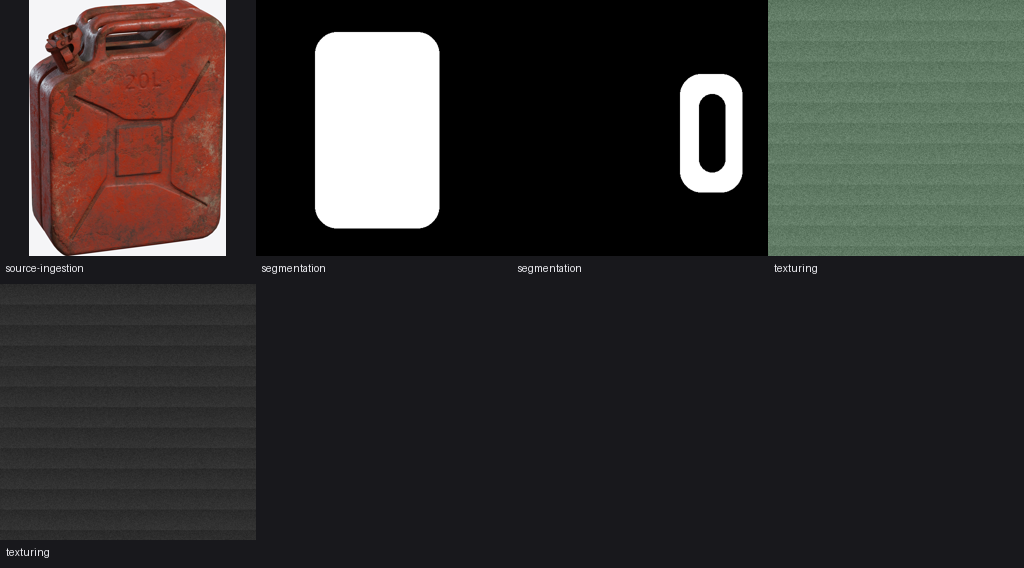
The dry workspace carries neutral smoke maps that do not match the worn red paint in the photo. The review returned:
{
  "stage_id": "texturing",
  "verdict": "approve",
  "findings": [
    {
      "defect_tag": "wrong_material_appearance",
      "severity": "blocker",
      "description": "The material appearance of the map set does not read as the declared material at the declared wear level."
    }
  ]
}
A blocker finding overrides the approve verdict, so the loop keeps the stage review required. Sign-off is never granted against the review record's own evidence.
The reconstruction review recorded skipped because no stage output existed:
verdict: skipped
reason:  no stage-output images exist yet; reviewing source photos alone
         would judge nothing this stage produced
Generated workspace
Every stage wrote its records under projects/metal_jerrycan/. The segmentation manifest carries the two segments encoded by the masks (body and cap), and the material manifest carries the review-gated physical proposals beside the material candidates:
{
  "component_materials": [
    { "component_label": "body", "selected_material": "painted_metal", "confidence": 0.92, "requires_human_review": true },
    { "component_label": "cap", "selected_material": "metal", "confidence": 0.48945007507507504, "requires_human_review": true }
  ],
  "physical_property_proposals": [
    {
      "property_name": "mass",
      "value": 1.0,
      "unit": "kg",
      "range_low": 0.1,
      "range_high": 10.0,
      "validation_status": "review_required",
      "notes": "numeric value is proposal-only until measured, specified or reviewed"
    }
  ]
}
The operator contact sheet generated for this run (reports/contact-sheet.png):
progress.json rolls the run up for machines; its next_actions from this run began with:
run or record an operator review for reconstruction
reconstruction: external reconstruction validation required before release
Next steps
-
Generate the mesh.
afb capabilitiesnames the ready backend, then:afb reconstruction create-backend --backend hunyuan3d --input-manifest projects/metal_jerrycan/manifests/source-asset-manifest.json --asset-id metal_jerrycan --project-id metal_jerrycan --output artifacts/jerrycan-run.json afb external-models run --manifest artifacts/jerrycan-run.jsonThe run reads its inputs from the project's source manifest and writes the mesh, preview renders and run manifest into the workspace. This unblocks reconstruction review on the next
afb agent runand records the run lineage for release. -
Generate textures. With an image-generation lane configured, the texturing stage replaces the smoke maps and the blocker finding is re-reviewed against generated PBR maps.
-
Run the Isaac load gate once the package composes:
-
Generate and apply task-fitness evidence, run
afb project validate, then preview and write the release decision withafb governance decide. Release stays blocked until the current run, asset fingerprint, exact Profile, rights, runtime and declared use all match; the governance page shows the worked example.
Rerun afb progress --project projects/metal_jerrycan after each step; the contact sheet and progress.json always reflect the latest state.